Enter a target size
Type the size you need in MB. On export, resolution and quality are lowered step by step until the file fits – with lower limits so everything stays readable.
For macOS
Too big for an email attachment? Just enter the size you need – SlimShift PDF shows you up front how small the file will get, and does the rest.
For macOS 14 Sonoma and later
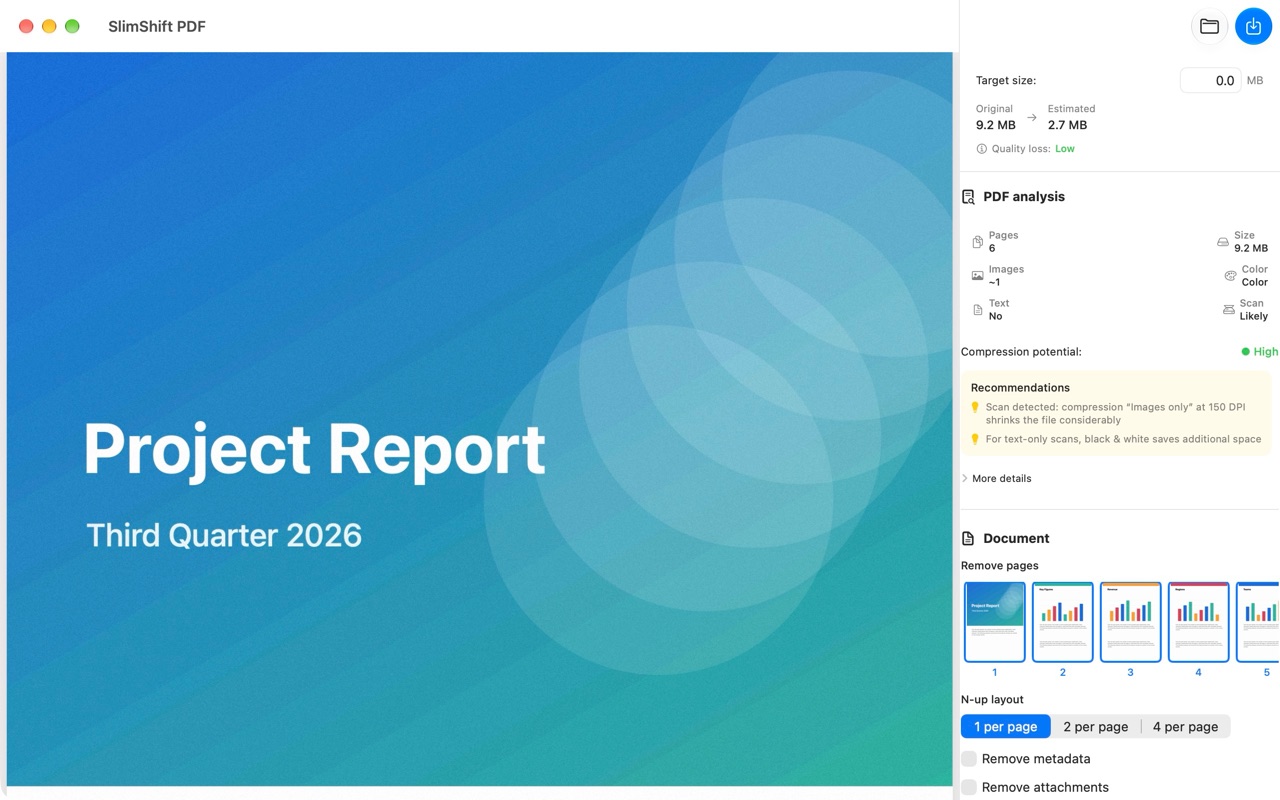
From a quick email version to a tidy archive scan – with clear options instead of cryptic settings.
Type the size you need in MB. On export, resolution and quality are lowered step by step until the file fits – with lower limits so everything stays readable.
Before you export, you see how large the file will be – calculated by actually processing it, including an estimate of the quality loss.
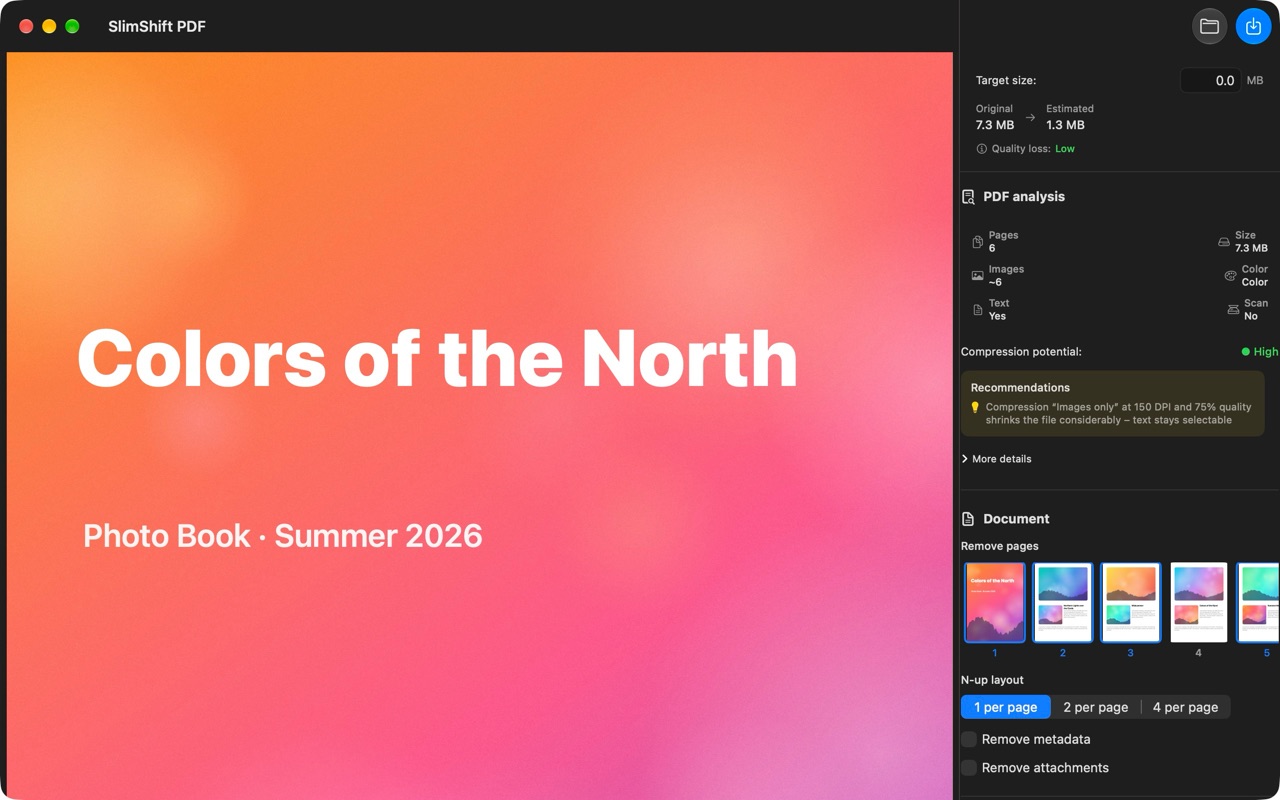
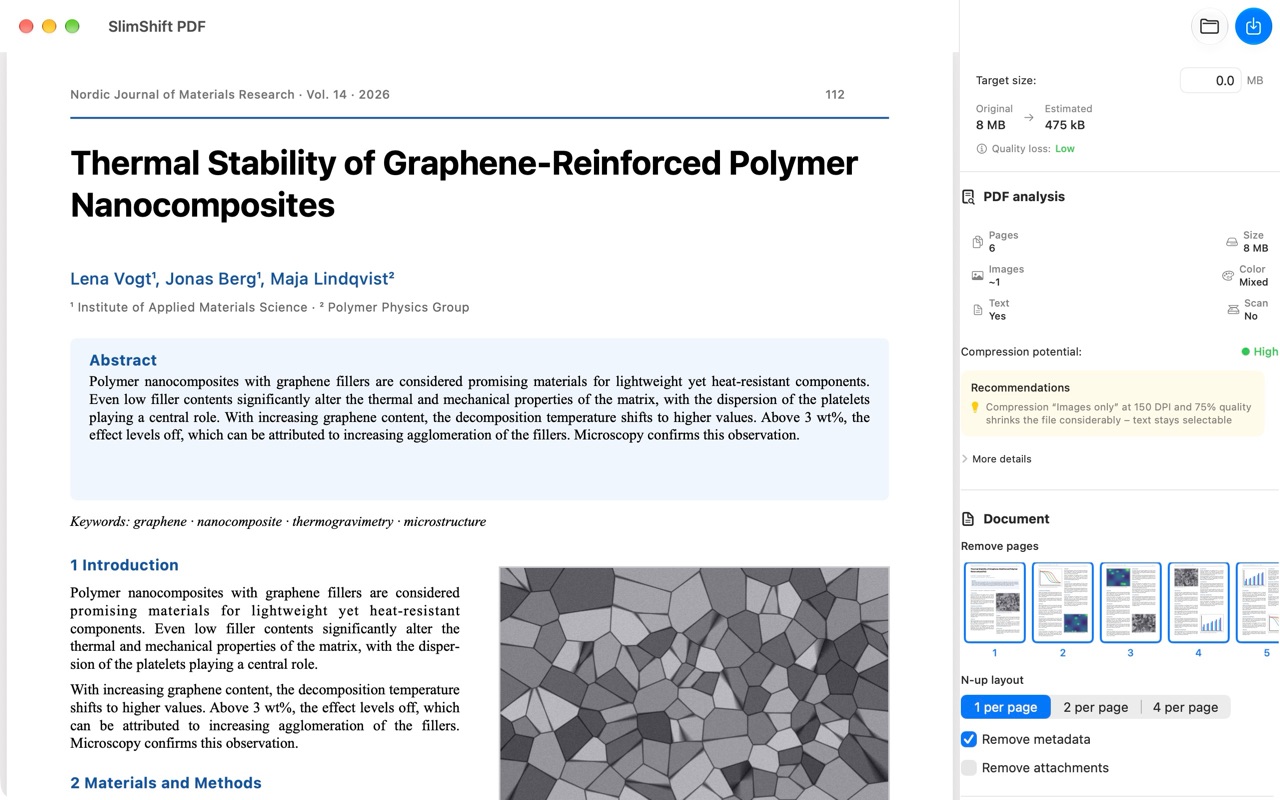
“Images only” recompresses embedded photos and graphics. Text and vector graphics stay untouched – sharp, selectable and searchable.
“Whole pages”, grayscale and true 1-bit black & white get the most out of scanned documents.
Remove pages with a click on the thumbnail, combine 2 or 4 pages per sheet, strip metadata and file attachments.
The app detects images, color and scans, estimates the compression potential and suggests suitable settings – or tells you when a file is already compact.
Scan, photo book or research paper – SlimShift PDF recognizes what’s inside the file and suggests the right settings.
No account, no setup. Open, adjust, export.
Drag a PDF file into the window or open it with ⌘O. The app analyzes the document right away.
Enter a target size or pick compression, resolution and color mode yourself. The estimate updates live.
Press ⌘E to save a new, smaller file. Your original stays untouched.
Contracts, job applications, bank statements: the very PDFs you need to shrink don’t belong on someone else’s server. SlimShift PDF processes everything locally – nothing is uploaded.
SlimShift PDF is coming soon to the Mac App Store.
Requires macOS 14 Sonoma or later · English and German